MIDI IO
In the MIDI IO tab of the System Pane, you are able to configure the global MIDI configuration, and MIDI Tap Tempo control for the transform.engine.
Engine MIDI Remote Control
The global-MIDI configuration uses more-complex NRPN messages to allow full flexibility. If you just want to control a few Cues in a single Cuelist, or want to use different MIDI channels for each Cuelist, consider using the per-Cuelist MIDI personalities instead.
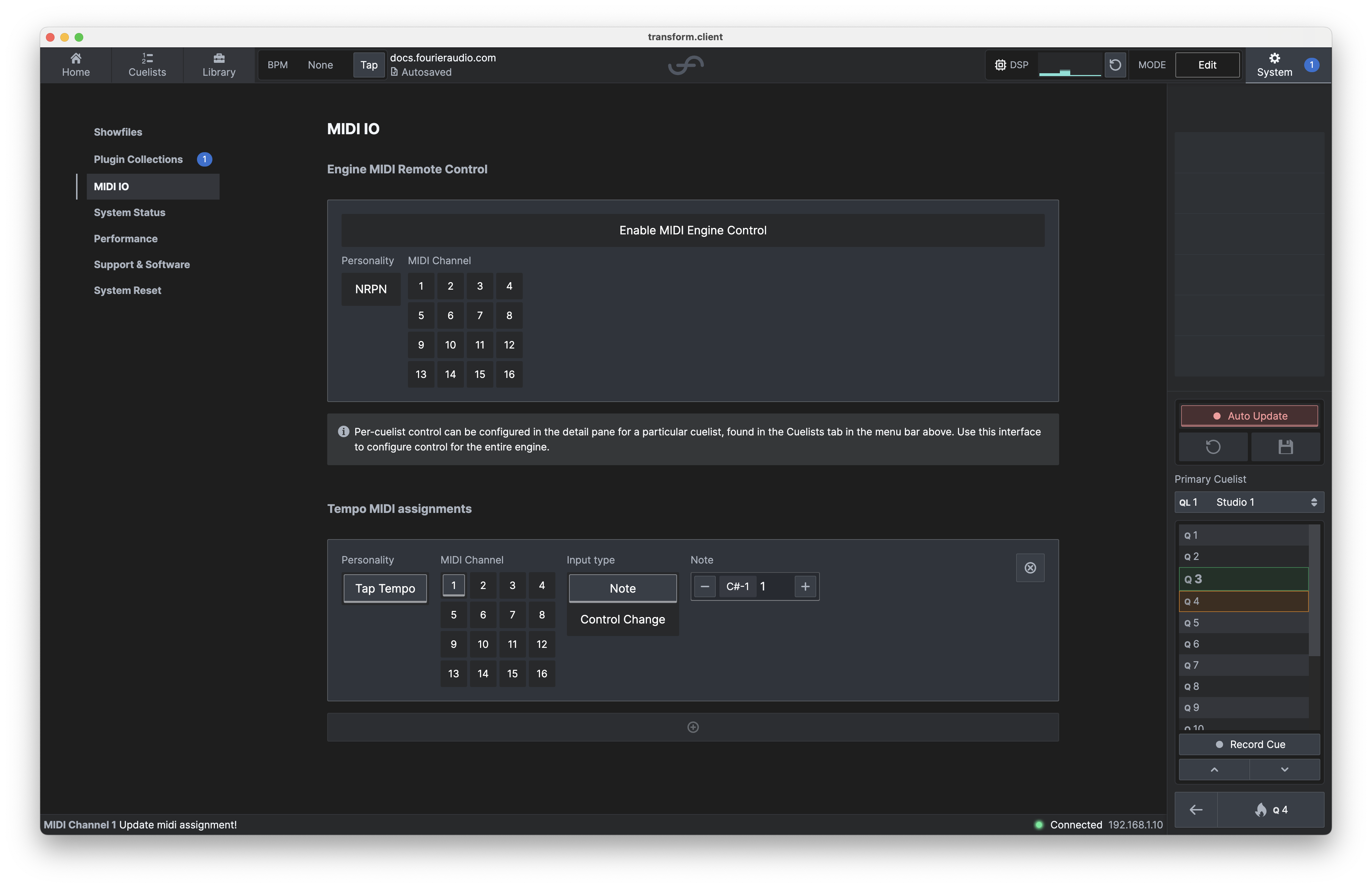
Various features of transform.engine can be controlled via the MIDI NRPN Controllers. If your MIDI transmitter has native support for sending NRPN data, you should use that, as it will make your life easier.
The transform.engine currently supports NRPN MIDI messages to allow the triggering of any cue.
To enable MIDI NRPN control, select the "Enable" button, or select a desired MIDI channel.
Ensure that you have connected your MIDI cable to the OUT port of your console/MIDI device, and the IN port of the transform.engine.
NRPN Parameter Map
NRPN Parameters are as follows:
| Parameter # | Name | Data Type | Notes |
|---|---|---|---|
| 1 | Selected Cuelist | 14-bit integer (MSB + LSB) | This parameter allows you to select a target Cuelist for other operations to be carried out via MIDI. Changing this parameter will clear parameters 2 and 3. |
| 2 | Selected Cue Number | 14-bit integer (MSB + LSB) | This parameter allows you to select a target Cue for other operations to be carried out via MIDI. Changing this parameter will reset parameter 3 to value 0. |
| 3 | Selected Cue Number Decimal | 14-bit integer (MSB + LSB) | This parameter allows you to specify a decimal component of a Cue Number when selecting a target Cue for other operations to be carried out via MIDI. |
| 4 | Fire Selected Cue | Boolean (selected if MSB + LSB value > 63) | When set to > 63 this parameter fires the currently selected Cue for the currently selected Cuelist and then clears the selection. |
Example: Firing a Cue (QL42 Q100) by NRPN
| MIDI Action | Description |
|---|---|
| Set NRPN 1 = 42 | Select Cuelist 42 |
| Set NRPN 2 = 100 | Select Cue 100 |
| Set NRPN 4 = 127 | Fire Selected Cue |
Example: Firing a Cue (QL42 Q300.3) by NRPN
| MIDI Action | Description |
|---|---|
| Set NRPN 1 = 42 | Select Cuelist 42 |
| Set NRPN 2 = 300 | Select Cue 300 |
| Set NRPN 3 = 3 | Select Cue Decimal 3 |
| Set NRPN 4 = 127 | Fire Selected Cue |
Example: Firing a Cue (QL42 Q100) via low-level Control Change (CC) messages
In this example, we achieve the exact same outcome as the first example, but this time manually setting the NRPN values via the appropriate Control Change (CC) messages. You could do this if you are using a MIDI device which does not support NRPN messages natively, but it is slightly tedious. Consider using per-Cuelist personalities instead.
| MIDI Action | Description |
|---|---|
| CC 98 = 1 | Select NRPN 1 [Selected Cuelist] |
| CC 38 = 42 | NRPN Data Entry 42 |
| CC 98 = 2 | Select NRPN 2 [Selected Cue Number] |
| CC 38 = 100 | NRPN Data Entry 100 |
| CC 98 = 4 | Select NRPN 4 [Fire Selected Cue] |
| CC 38 = 127 | NRPN Data Entry 127 |
MIDI Tap Tempo Assignments
Global Tap Tempo can be controlled through either Note or Control Change messages. To ensure the relevant message is received, make sure you select the correct MIDI channel and input type.
Most digital mixing consoles with custom conditional macro triggers can be programmed to send MIDI information when a channel exceeds a certain level. This could be useful on a kick drum channel!
Tap Tempo Parameter Table
When configuring a Tap Tempo assignment, you must define the input characteristics:
| Parameter | Description |
|---|---|
| Personality | Defines the MIDI trigger function. Currently only Tap Tempo is available. |
| MIDI Channel | Select the MIDI channel (1–16) on which the message will be received. |
| Input Type | Choose the type of MIDI message: Note or Control Change. |
| Note | If Note is selected, specify the MIDI note (e.g., C#1). |
| Control Change | If Control Change is selected, specify the CC number (not shown above). |