Performance
You may have noticed in your navigation bar, an overview of the DSP load on your transform.engine, selecting this will take you to the Performance tab. Here, you will find the current performance metrics for your transform.engine!
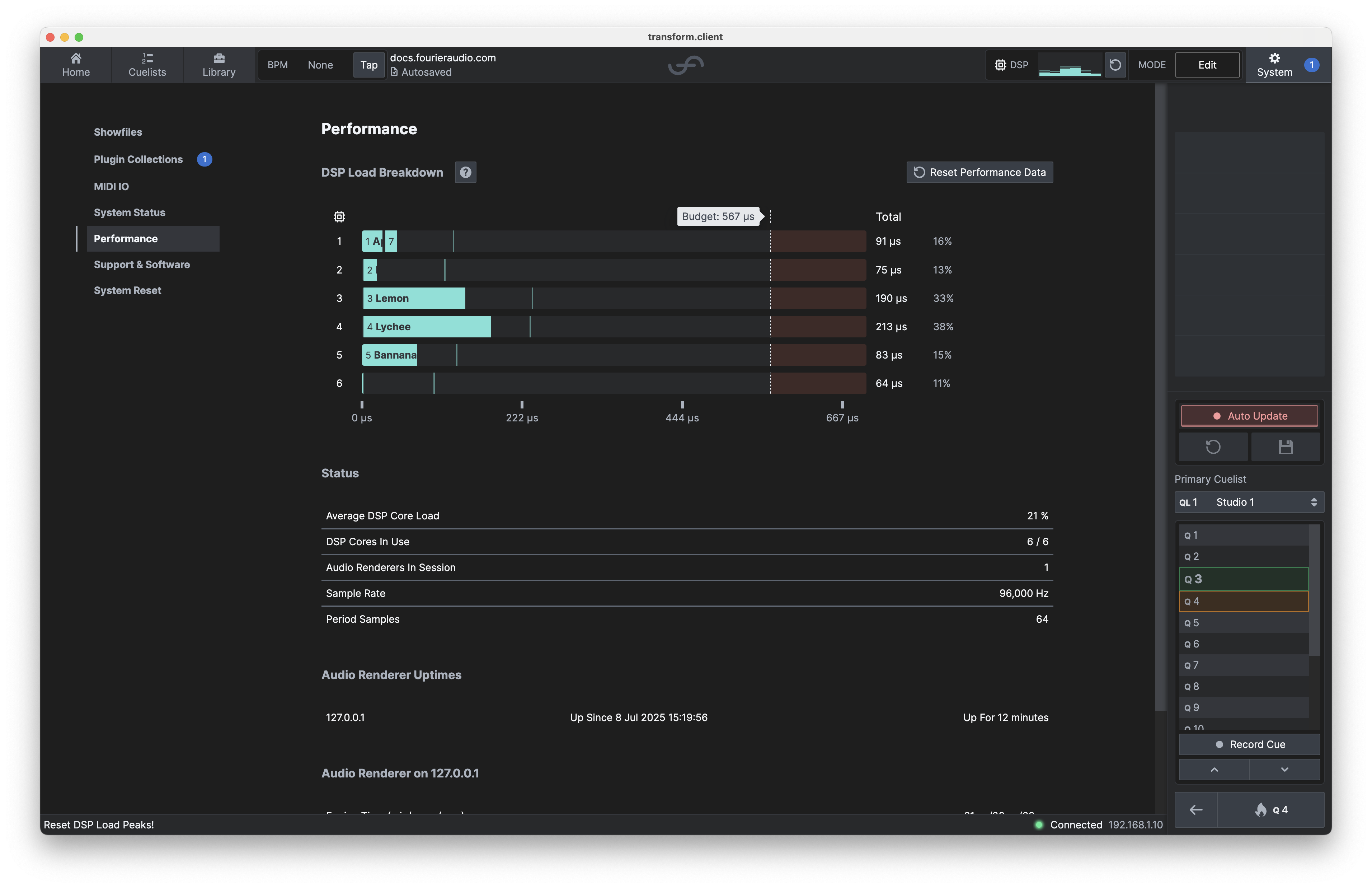
DSP Load Breakdown
The Performance tab provides enhanced visibility into DSP usage, each chain in your Showfile now displays its individual DSP usage, allowing you to see exactly how your processing budget is distributed.
The DSP load graph shows how each chain contributes to the overall DSP core usage, helping you optimise plugin performance! Each core has a breakdown of the system time being utilised by each chain, and hovering over a chain will report the time.
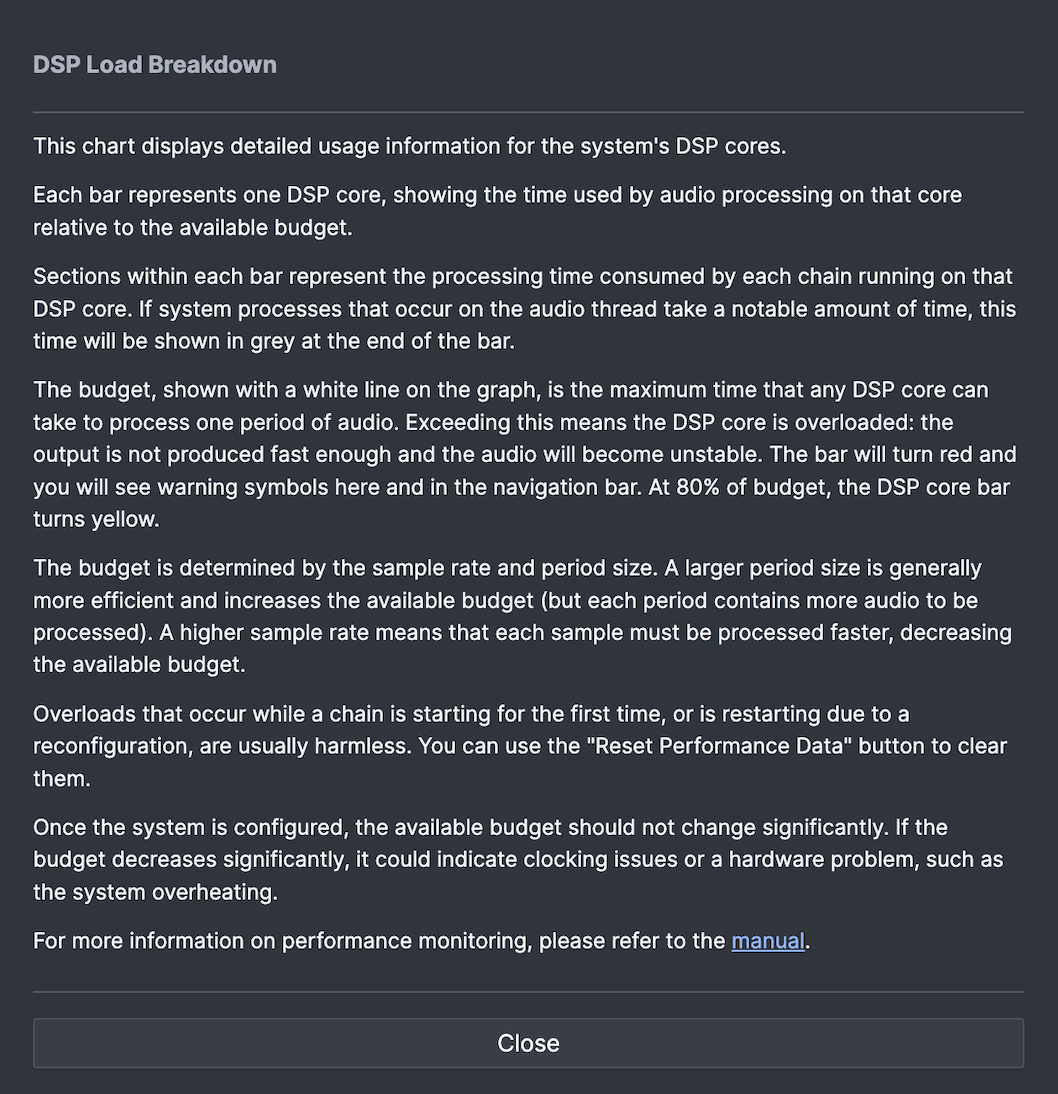
More information on system time can be found by selecting the inline
 . This will display the following information box:
Resettable Peak Holds
DSP meters now feature a peak hold that can be reset, making it easier to monitor and manage peak loads. There are two controls for this:
| Navigation Bar Reset | Performance Tab Reset |
|---|---|
 |  |
Overrun Counts Per Core
You can now view overrun counts for each DSP core directly in transform.client. This allows you to monitor the stability and performance of your DSP processing in real time.
If a DSP core is actively overrunning, the following warning will show next to the graph to alert you to immediate performance issues. In this state, you may hear constant audio artifacts until the issue is resolved or the overrun counters are reset.
If a chain has previously overrun, the system will display a muted warning to indicate that an overrun took place and further investigation may be required.
These help you fully understand and manage the performance of your Showfile, ensuring reliable operation and efficient use
By doubling the Period Samples from 32 to 64, you double the latency of the DSP pipeline, but you also increase the amount of time available (and therefore system capacity) to the chains for processing.
Audio Renderer Info
Below the whole-system information, information about the performance of each Audio Renderer in the system is displayed. A summary table shows the uptime of each Audio Renderer in the session, followed by detailed statistics for each renderer, mainly useful for support:
- Engine Time: The amount of time, per period, spent on internal engine audio processing tasks.
- Period Time: The inter-period time as measured from the Dante network.
- Engine Xruns: The count of occasions where time-skew was detected.