Live Presets
Presets are a powerful tool that allow you to save and recall specific plugin configurations across your showfile.
Whilst you can create and update presets directly from the detail pane when you have a plugin instance selected, managing presets once created happens within the Library tab.
Using Live Presets
A single preset can be used across multiple chains, across multiple cues, or both!
You can point multiple plugin instances to the same preset across different chains.
For example, plugin instances in Chain 1, Chain 2 and Chain 3 can all use the same compressor preset.
When you update that preset, all three plugin instances reflect the change.
One plugin instance can use the same compressor preset in Cue 1, Cue 50 and in Cue 99.
When you update that preset, the plugin instance reflects the change in all three cues.
Managing Presets
Within the Library tab, when you select a plugin, you’ll find the Preset Manager:
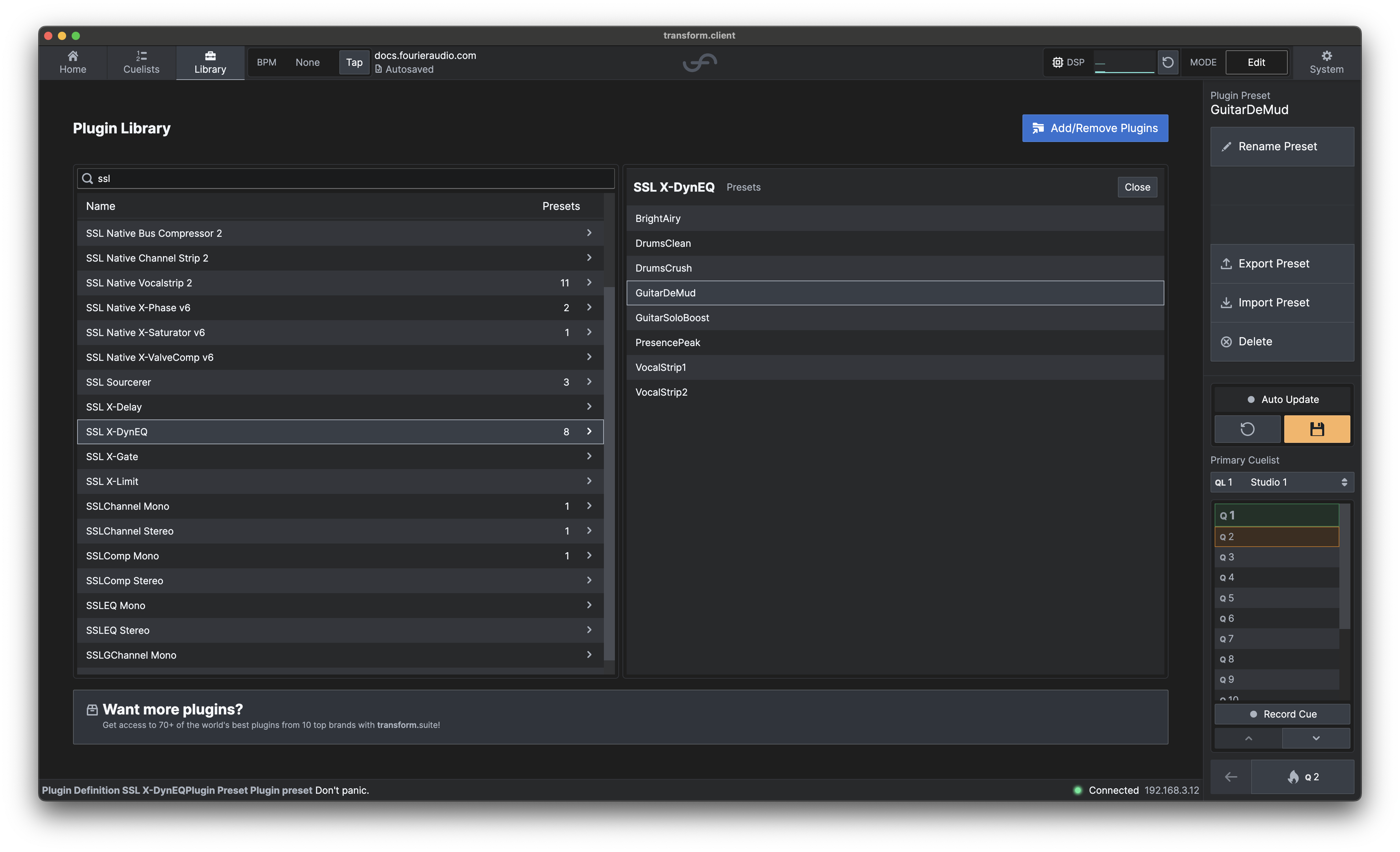
This allows you to:
- Select a preset - highlight any preset in the list to make it active.
- Rename a preset - change the displayed name to something more meaningful.
- Import preset - load a preset previously exported from another showfile.
- Export preset - save a presets for backup or transfer.
- Delete preset - Remove a preset from the showfile.
Renaming
You can rename a preset at any time by selecting it in the list and choosing the Rename buttons.
We would strongly recommend giving your presets useful names, to help you remember which preset is which when you're trying to remember what you were aiming for later on!
Importing & Exporting
Presets can be exported as standalone files, meaning they can be easily shared between clients or imported into another showfile.
- Import - choose a
.statepreset file from your transform.client device to add it to your Library. - Export - save the selected preset as a
.statefile for safekeeping or transfer.
This workflow allows you to maintain a consistent setup across different engines or shows!
With great power...
As presets reference a single piece of data across your entire showfile, updating a preset impacts all cues and all chains where that preset is saved. This is powerful for consistency, but also means you can inadvertently change large amounts of plugin instance values all at once.
Before modifying a preset, consider its scope:
- Which cues use this preset? Changes will apply to all of them.
- Which chains use this preset? Changes will ripple across multiple chains simultaneously.
- Is this the intended behavior? If you only want to change a preset for a specific cue or chain, consider creating a new preset.
If you don't want a modification to update other places the preset is used, you can simply create a new preset rather than updating the existing preset.