IP Configuration
The IP Configuration settings in transform.client let you view and configure the network interfaces on a connected transform.engine.
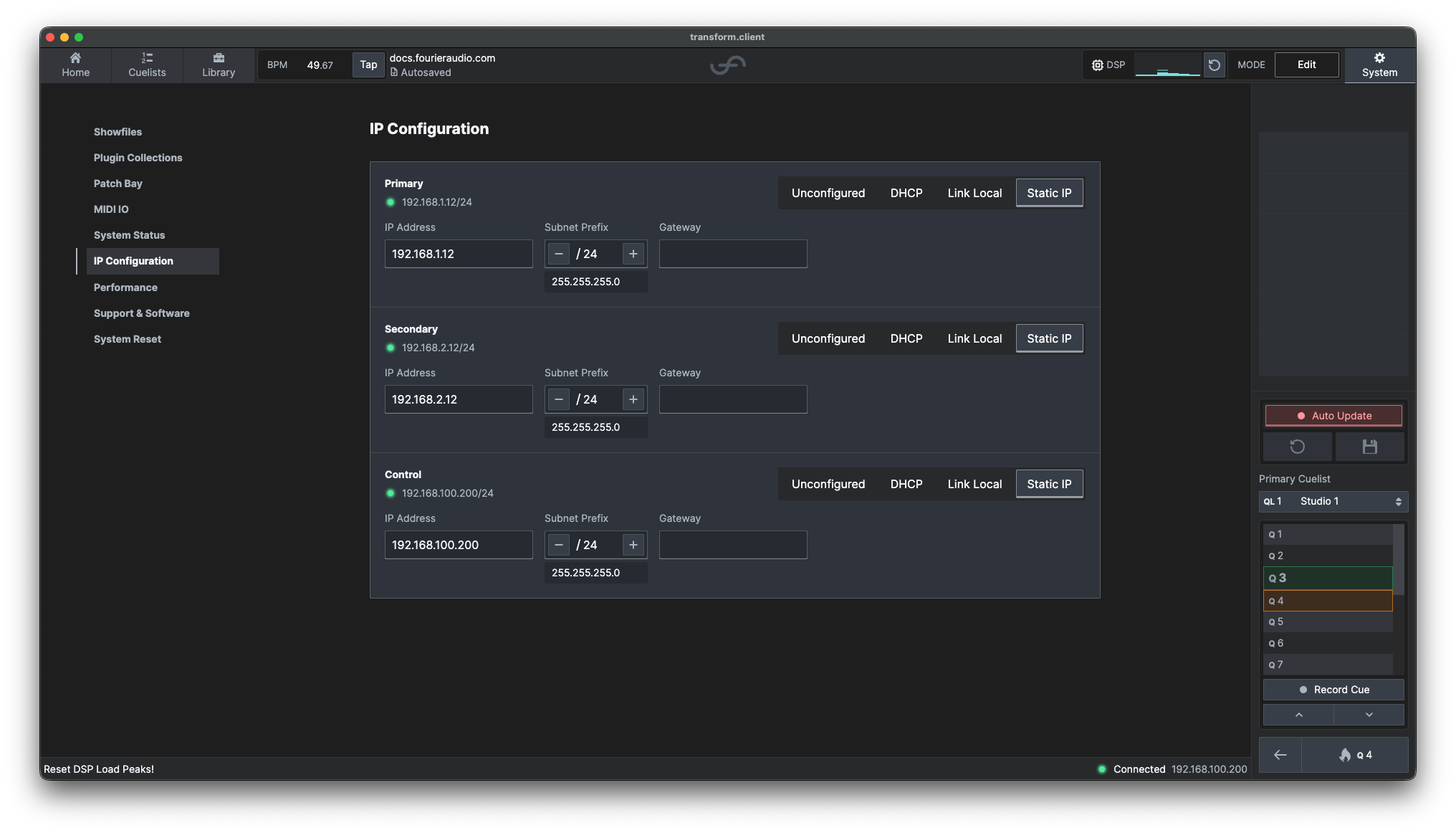
Network Interfaces
The capabilities of each physical network interface depend on the audio transport:
| Interface | Dante | HYPERPORT |
|---|---|---|
| Primary | ✓ Primary audio ✓ Control | ✓ Point-to-point audio X Control |
| Secondary | ✓ Redundant audio ✓ Control | X Audio X Control |
| Control | X Audio ✓ Control | X Audio ✓ Control |
✓ Available X Not available
Each interface displays its current IP address and subnet prefix. A green status indicator shows that the interface has an active link.
Addressing Modes
Select an addressing mode independently for each interface:
| Mode | Description |
|---|---|
| Unconfigured | Removes the IP configuration from the interface. |
| DHCP | Requests an address, subnet prefix and gateway from a DHCP server. |
| Link Local | Automatically assigns an address in the 169.254.0.0/16 range, except on the Dante Secondary port, which uses 172.31.0.0/16 as required by Dante. Use this for a direct connection or a network without a DHCP server. |
| Static IP | Lets you enter a fixed IP address, subnet prefix and optional gateway. |
Configure a Static Address
-
Find the interface you want to configure.
-
Select Static IP.
-
Enter the following network details:
- IP Address
- Subnet Prefix
- Gateway, if required
transform.client displays the subnet mask represented by the prefix length below the Subnet Prefix control and validates the network details before applying them. The gateway field can be left empty when no gateway is required.
Changing the address of the interface currently used by transform.client may disconnect the client. Reconnect using the interface's new address after the change has been applied.
Addresses that cannot be used
The following IPv4 addresses and subnets cannot be assigned as a static IP address:
| Address or subnet | Reason |
|---|---|
0.0.0.0/8 | Reserved for "this network"; 0.0.0.0 also means that an interface is unconfigured. |
100.64.0.0/10 | Reserved for internal communication within transform.engine. Using it on an external interface may prevent the system from operating correctly. |
127.0.0.0/8 | Reserved for loopback traffic and cannot identify an external interface. |
224.0.0.0/4 | Reserved for multicast and cannot be used as an endpoint address. |
255.255.255.255/32 | The limited broadcast address and cannot be used as an endpoint address. |