Patch Bay
The Patch Bay is where channels in a showfile are assigned to chain inputs and outputs. It provides a single view of the whole showfile, making it easier to edit the routing.
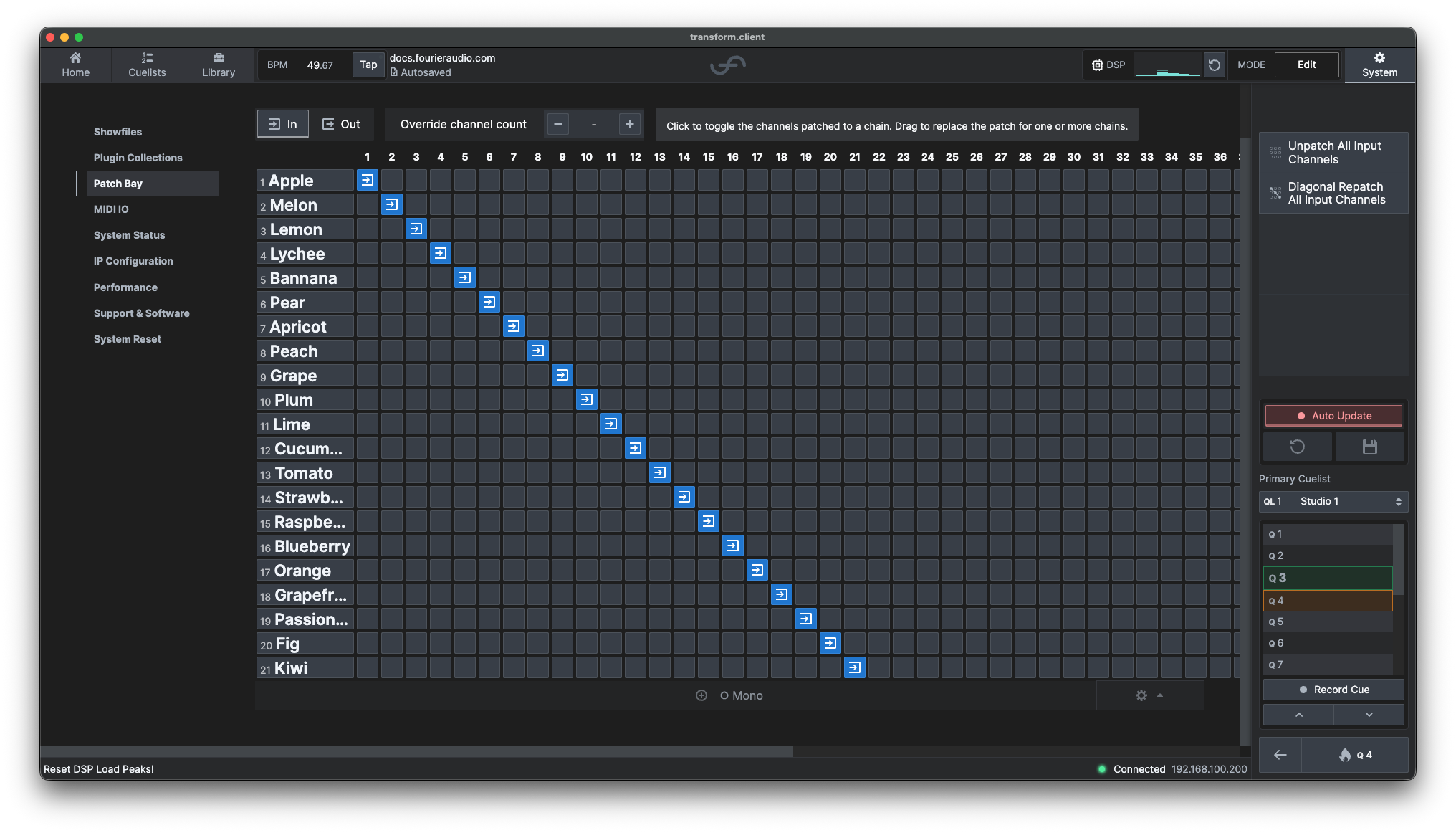
Configuration
Select the System tab, then select Patch Bay from the sidebar. Alternatively, a navigation button can be found in the input/output routing section of the routing view within the detail pane.

- Each row represents a chain in the current showfile.
- The numbered columns represent the available showfile channels.
- A highlighted cell marks an established patch between that channel and the chain on the same row.
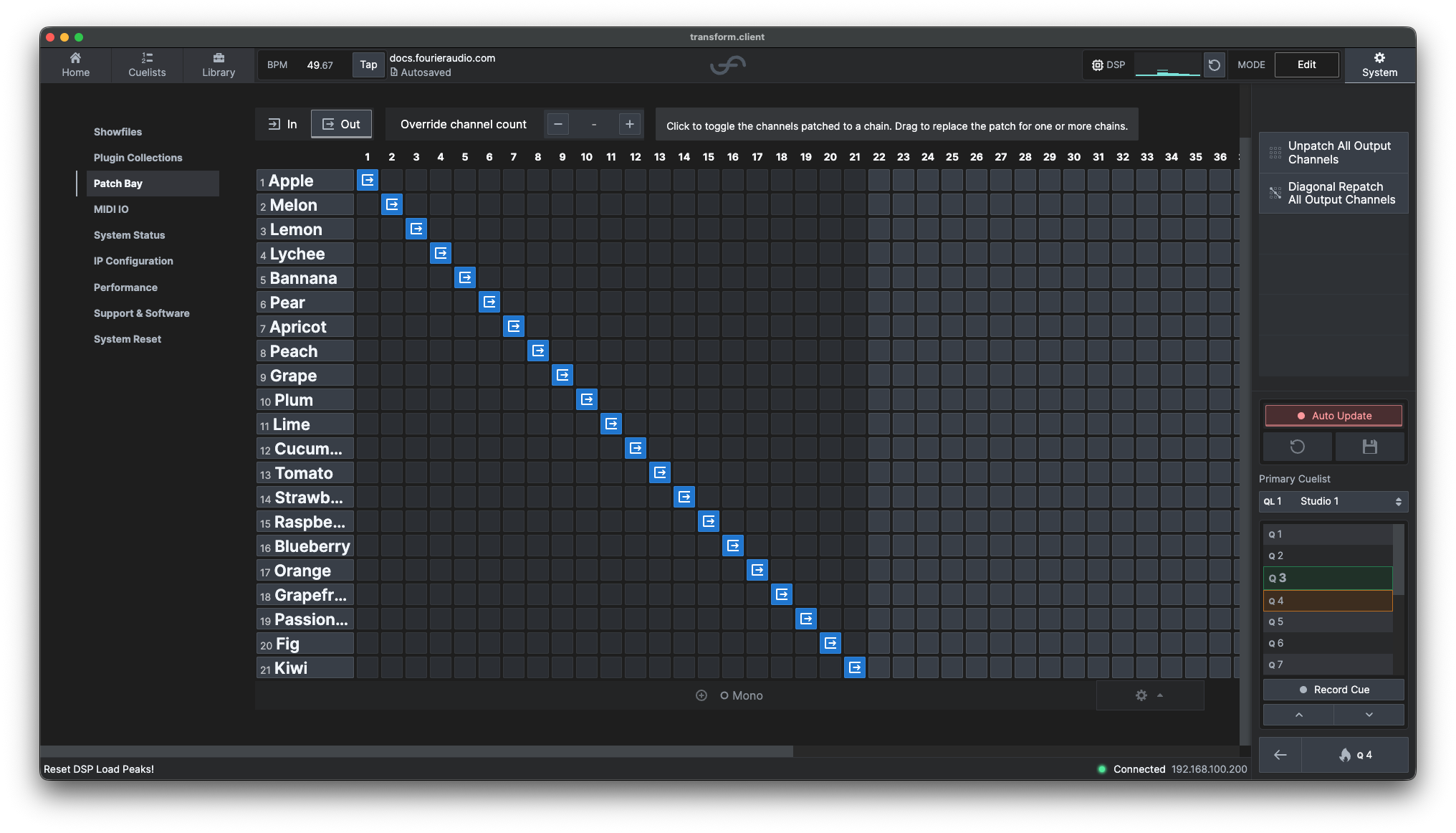
Selecting a cell toggles the patch. To repatch several chains, drag across the relevant cells.
By default, dragging respects each chain's existing channel count. Enable Override channel count to set a different channel count while dragging; for example, to repatch a mono chain as stereo.
Dragging over any existing patches will remove whatever is highlighted in the grid.
Reset or Rebuild Input Patching
The input view provides two bulk actions for situations where editing each chain separately would be slow:
- Unpatch All Input/Output Channels clears the current patching, allowing the patch to be assigned again from an empty state (only applies to current in/out view).
- Diagonal Repatch All Input/Output Channels rebuilds the channel order across the chains in the grid. Enable Override channel count to set a different channel count for the patch; for example, to set all chains to have stereo inputs.